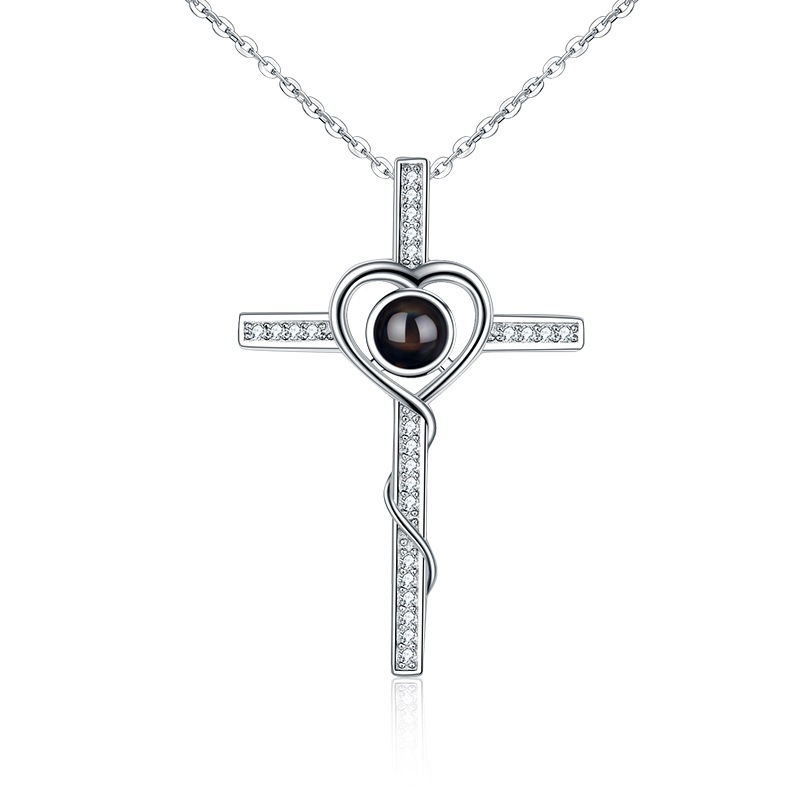
How it works · Photo fit · Preview limits · Private handling
Partner-authorized Angel Cross projection lens photographed close up
PRODUCT REFERENCE · PHONE LIGHT BEHIND THE CENTER LENS

PROOF LAB / SEE THE BOUNDARY

Know what the
screen can show.

The editor can show composition. Only a physical lens can show the final optical result. LumenKeep keeps those two claims separate.

01 / THE PROMISE

No borrowed result.
No simulated guarantee.

A crop preview helps you choose what belongs inside the circle. It does not certify focus, brightness, transmitted color or projection size. A physical result is called proof only when it is tied to the same source, crop, form and recorded conditions.

Our evidence rule: a product fact belongs to one exact configuration. A physical result must identify the same source image, crop, piece and viewing conditions; an on-screen illustration is always labeled as an illustration.

02 / MECHANISM

How do photo projection necklaces work?

Look through the center toward a bright background, align it with a phone camera, or place a phone light behind it and aim toward a dim wall. Small changes in alignment and distance change the reveal.

THREE VIEWING METHODSChoose the source photo →
03 / PHOTO FIT

What photo works best in a projection necklace?

Start with the original file, one clear subject, even light and enough room for a circular crop. Screenshots, distant groups, heavy filters and missed focus carry more risk.

SUBJECT · LIGHT · SOURCE FILEOpen the photo guide →
04 / PREVIEW VS ACTUAL

Our projection clarity test: preview vs actual.

The wall view intentionally softens color and edges to communicate the viewing idea. It remains an illustration; it does not promise the sharpness or brightness of a finished lens.

ILLUSTRATION, NOT GUARANTEETry the composition view →
05 / QUALITY

How to tell a quality projection necklace from a cheap one.

Color names do not prove a metal. Supplier descriptions do not replace a reconciled variant and sample record. Material, dimensions and care appear only for a configuration that has supporting evidence.

CLAIM TIED TO CONFIGURATIONCompare the available forms →
06 / PHOTO DATA

What happens before photo upload is enabled?

The first crop runs on your device. Production transfer remains disabled while purpose, access, retention and verified deletion controls are completed.

07 / PHYSICAL EVIDENCE

Four links before a result becomes proof.

  1. 01Same source

    The source photograph and approved circular crop share one configuration reference.

  2. 02Same piece

    The form, finish and physical sample are identified rather than substituted with a similar product.

  3. 03Stated conditions

    Light, room, wall, distance and capture method are recorded beside the result.

  4. 04Visible limits

    One sample never becomes a universal clarity, durability or defect-rate promise.

Start with what the image needs.

One clear subject.
One intentional crop.

Open the photo guide